For Android and iPhone
Tempus – the mobile app for working time tracking
Employees check in with one tap, request leave and see their tasks on the phone. Managers keep an eye on the team and hand out tasks, wherever they are.
Signing in needs an account your employer opens for you in Jurist Biro. If your company does not use Jurist Biro yet, it can try it for free.

For employees
Everything an employee does in Jurist Biro, on the phone: working time, leave, duties and documents.
-
One-tap check-in and check-out
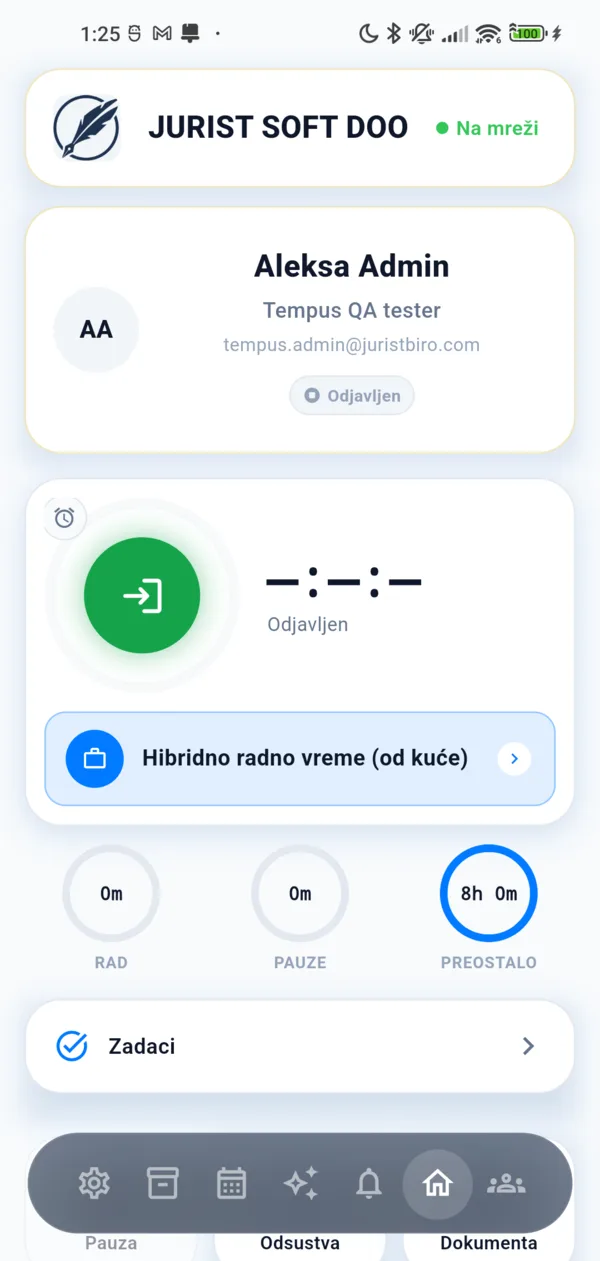
Hold the button for about a second and the phone confirms with a vibration. If the employer asks for it, check-in includes a face check, GPS location, a QR code from the tablet at the entrance or the workplace's Bluetooth beacon.
-
Works without internet
When the network drops, check-in, check-out and breaks are recorded on the phone with their real time and sent as soon as the connection is back, without duplicates.
-
Breaks, alarms and reminders
A break with one tap and a reminder when it runs too long. Alarms for the start and end of the shift, and on the home screen the time worked, the breaks and what is left of the shift.
Leave and days left
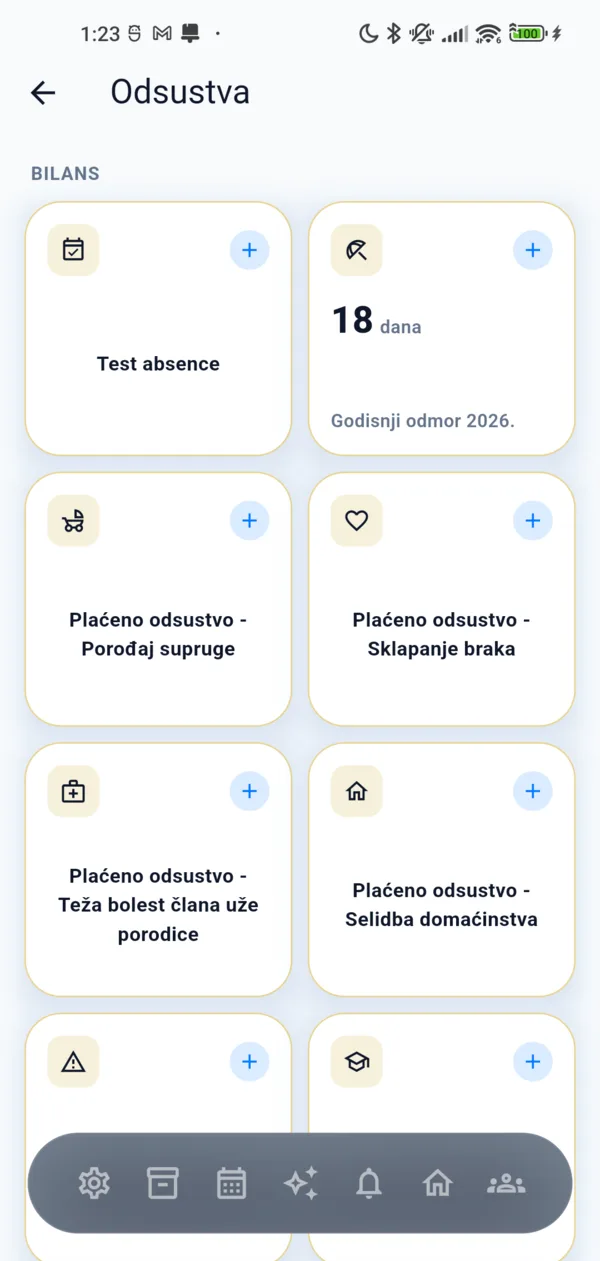
A request for annual or other leave in seconds, the days left per leave type and a notification as soon as the request is approved or rejected.
- A calendar with leave, public holidays, birthdays, anniversaries and events
- Personal notes and reminders for planned activities
Also in the app
-
Tasks
Tasks with a priority and a deadline, status changes and comments with colleagues.
-
Documents and equipment
The documents your employer shares with you and the equipment issued to you, always at hand.
-
Surveys and evaluations
Answering surveys, self-assessment and evaluations, with the results once the employer publishes them.
-
AI assistant
Ask how many hours you worked this month or how much annual leave you have left — the answer comes from your own data. Available when the employer turns it on.
-
12 languages, light and dark theme
Serbian, English, German, French, Macedonian, Bosnian, Croatian, Montenegrin, Bulgarian, Romanian, Turkish and Slovenian.
For managers and administrators
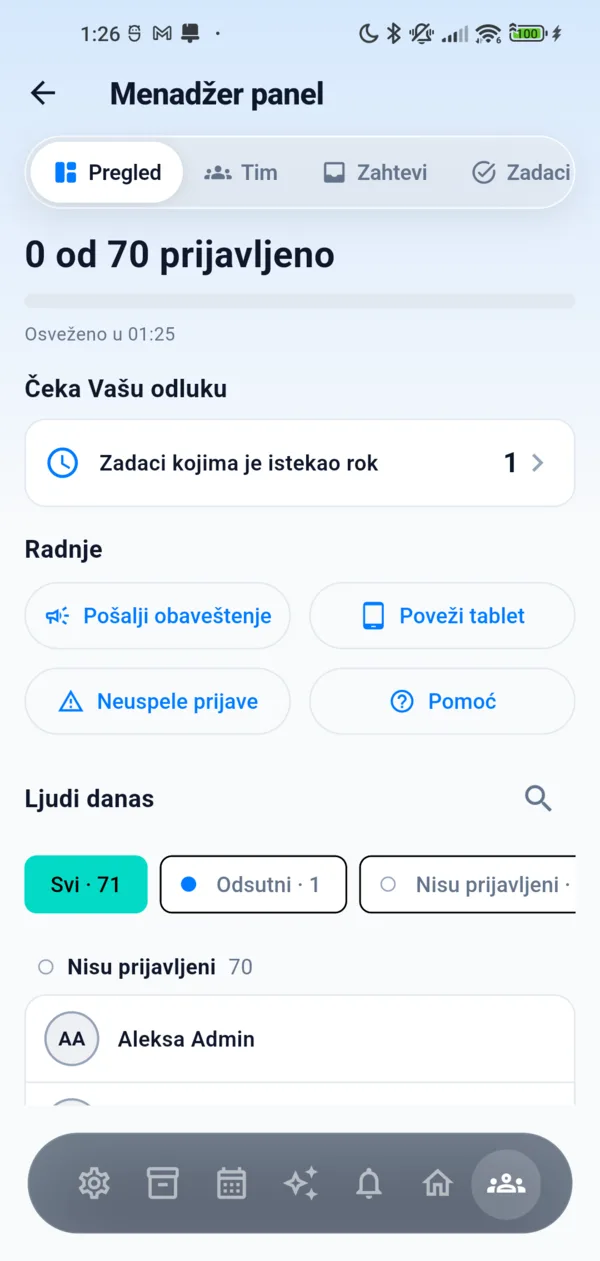
The manager panel is in the same app and only users with that role see it — decisions that are waiting do not wait for the return to the office.
- The team today Coming soon
- Leave approvals Coming soon
- Corrections and bulk entry of working time
- Notices to employees Coming soon
- Tasks, surveys and evaluations
- Phones and tablets Coming soon
Privacy and security
The app asks only for what the employer actually uses, and personal data does not leave the phone when there is no need.
-
The face stays on the phone
When the employer turns on the face check, the face image and template are kept encrypted on the employee's phone only, and the comparison runs on the phone. The server only learns that registration was completed.
-
The employer chooses the checks
Face check, GPS, QR code and beacon are the employer's options per workplace; the app asks only for what is turned on.
-
Location only with check-in
The phone sends its position with check-in and check-out, and the server decides whether the employee is within the workplace zone. Recognising the workplace in the background runs only if the employee turns it on.
-
AI without keeping the conversation
Questions to the assistant are processed in the EU and the conversation is not kept.
For employers: the records the Labour Act asks for
Tempus is part of the Jurist Biro platform. The working time employees record in the app is in the records, the timesheet and the reports at once, and the same system produces annual-leave decisions and the other documents drafted by lawyers.
Working time tracking in Jurist BiroFrequently asked questions about Tempus
How do I get a Tempus account?
Your employer opens the account in Jurist Biro and sends you an invitation by email; you sign in to the app with that email and a password. If your company does not use Jurist Biro yet, the employer can try it free for 14 days.
Does the app work without internet?
For working time, yes. Check-in, check-out and breaks are recorded on the phone with their real time and sent as soon as the connection is back, without duplicates. Signing in to the account, leave, tasks and other requests need the internet.
What happens to the image of my face?
The face check exists only if your employer turns it on. The face image and template are kept encrypted on your phone and the comparison runs on the phone, so it works offline too. The server only receives the fact that registration was completed on that device — never the face.
Do I have to turn on GPS or scan a QR code?
Only if your employer's check-in rule asks for it. For each workplace the employer chooses a face check, GPS location, a QR code from the tablet at the entrance, a Bluetooth beacon or none of these, and the app asks only for what is turned on.
How much does Tempus cost?
Employees download the app for free. For the employer it is part of working time tracking in Jurist Biro — included in the Team and Enterprise plans, and added as a module to the Start plan. The price is per active employee, as on the pricing page.
Get started today
Registering takes a minute. The 14-day trial is free and includes every feature of the application.